Witty.ca - Graham's Professional Archives

  • Home
  • My Blog
  • Book Blog
    • Blog to Book
    • About
    • Contact
    • Links
      • Career Links in Fredericton
        • Job Hunting Tips
        • That's so 2010!
          • Old Home
            • Teaching Software>
              • Google Sketchup (free)
                • OpenOffice.org (free)
                  • Scratch (free)>
                    • Scratch (Scripts 1 & 2)
                      • Scratch (Script 3)
                        • Scratch (Frogger)
                          • Scratch (Frogger 2)
                            • Scratch (Frogger 3)
                              • Scratch (Frogger 4)
                                • Scratch (Rapids)
                                  • Notes for Teachers>
                                    • Teaching Scratch
                                      • Scratch Pop Quiz
                                        • Scratch Pop Quiz Marks
                                    • Middle School>
                                      • Literacy
                                        • Social Studies 6
                                          • Social Studies 7>
                                            • Online Test - Canada at Confederation
                                          • About>
                                            • About Mr. Rich
                                              • About Technology Education

                                            Frogger - Part 3

                                            In this section we will:
                                            • keep track of the number of frogger's Lives
                                            • stop all cars when the frogger dies.
                                            • start all cars when frogger is alive.
                                            • stop all cars when the finish area is reached (Level up!)
                                            • change the costume of the dead frogger
                                              (and change back when frogger is alive again!)
                                            • have cars change costumes with every teleport
                                            • add more cars on levels 3 and 6


                                            You must complete
                                             Frogger - Part 2 
                                            before starting here!


                                            Scratch Cat (from http://nagelelo.wikispaces.com)

                                            About these Tutorials

                                            A brief explanation of ownership and rights is found here:  Script 1&2.  If you use these tutorials, please let me know.

                                            About Scratch

                                            Scratch is an entry-level  free and open source software programming environment developed by MIT.

                                            Keeping track of Lives

                                            ... When is the Game Over?

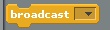
                                            This video shows a new way to communicate between scripts using:
                                            Picture
                                            We haven't made a "broadcast" before, so, you'll need to get them from the Control palette.


                                            on youtube
                                            BEWARE: There's a strange TYPO in the code of this video (#14).  
                                            Can you find it before the next video?


                                            Stop the Cars!
                                             Frogger has died!


                                            Everyone knows that the game should stop when the frogger dies.  So, let's make that happen.

                                            We've already created a broadcast called "Died".

                                            Now, let's go to first car (Blue Car) and include a stopping script.

                                            When you've got the Blue Car working, why not just drag that piece of script onto the other cars!

                                            on youtube
                                                                        BEWARE:  Making this script work will have unintended side-effects!


                                            Oh no!  The cars are not moving!


                                            Well, we thought this was a great idea to have the cars stop when the frogger died.

                                            But now, we've created another problem.

                                            The best part is that our solution is simple and will save us work later!


                                            on youtube

                                            Stop Cars on "Level Up"


                                            If the cars can stop moving when the frogger dies, shouldn't they also stop when the frogger reaches the finish area?
                                            on youtube

                                            Adding visual effects


                                            What does a dead frogger look like?

                                            Hmmmmm....

                                            Add a new costume.

                                            Switch to the right costume at the right time.
                                            on youtube

                                            Changing  
                                               Costume on 
                                                   Teleport


                                            If the frogger can change costumes, then why can't the cars?

                                            If the car changes costume when it's teleporting, then we can pretend that there's lots more cars on the road.
                                            on youtube

                                            Add Cars on 
                                               Levels 3 & 6


                                            I've had a number of questions about adding more cars.  Well, it's time!

                                            Duplicate a car in the slow lane.

                                            Then, when the green flag is clicked, choose "HIDE".

                                            Then, when the Level is right, choose "SHOW".

                                            Sounds simple, right?
                                            on youtube


                                            When you are completely done, the teacher will instruct you to click here.

                                            Copyright © Graham Rich 2010-2011.   Site made using Weebly.com.