Activity 10 - Lines and Dimensions for House #1
Create a Stop Sign using LINE, OFFSET, MOVE and TRIM.
REMEMBER in activity #3 we used POLAR COORDINATES! |

| |||
Draw and Dimension House #1
|
House #1 with DIMENSIONS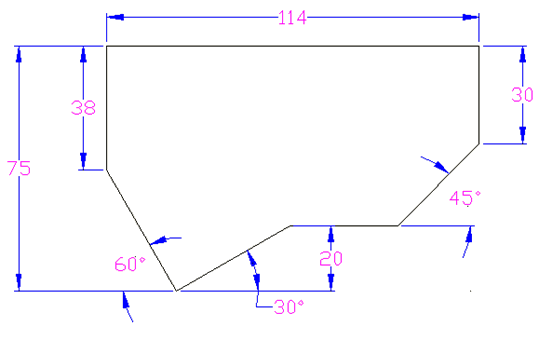
House #1 - Completed Assignment (Your assignment should look exactly like this, including the Dimensions!)
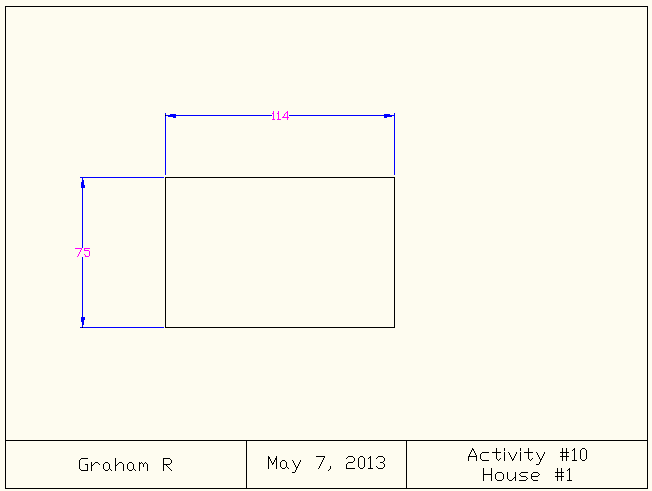
Draw lines to make the rectangle. (Click to start somewhere in the box and then use Relative Coordinates to draw the house outline.)
STOP! Draw the DIMENSIONS.
Choose the DIMENSION and then 3 clicks. (see image below for button choices)
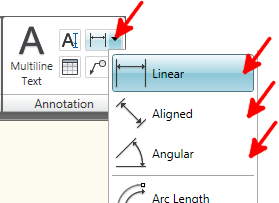
Choose one of the top 3 dimensions.

Make the first OFFSET (I did 38 first but you can do whatever order you wish).
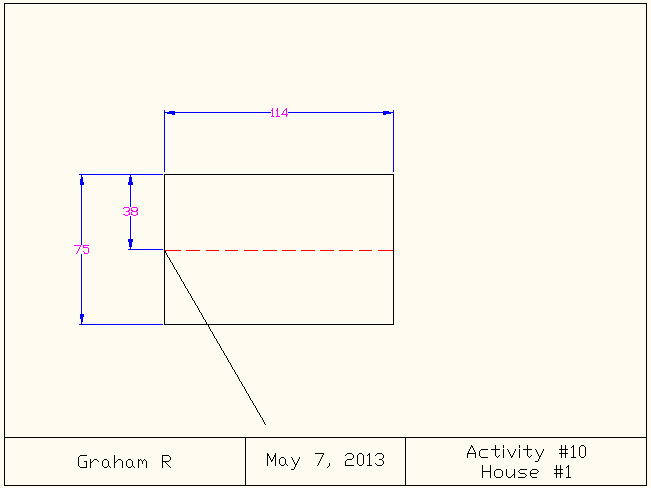
Make a LINE at the proper angle, but make the line too long! (e.g. I did @100<-60)
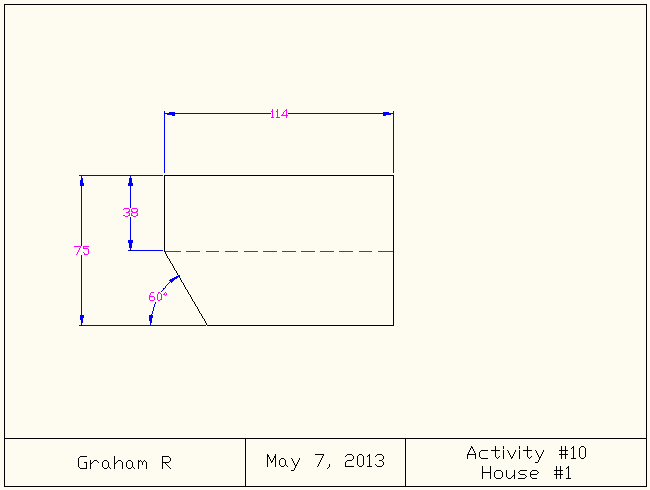
TRIM the extra. Put in the ANGLE DIMENSION.
You now know everything you need to know to complete this assignment. Go to it!
|
|
Save your work!
|
Credits: These activities were created by David Haney and/or created/modified by Brian Wilkins before being modified by Graham Rich. Many thanks to both David and Brian for sharing this work with us!
All AutoCAD Activities
| Activity | Name | Area of Learning |
|---|---|---|
| Activity 1 | Title Block | Absolute Coordinates |
| Activity 2 | Arrow | Relative Coordinates |
| Activity 3 | Speaker Symbol | Polar Coordinates |
| Activity 4 | Lines & Circle | Object Snaps |
| Activity 5a | Trim, Extend, Offset | Use Trim, Extend, Offset |
| Activity 5b & 5c | Select from 5a | Multi-Select with Mouse |
| Activity 6 | Razor Blade | Mirrors, Snap to Quadrant, Snap to Center |
| Activity 7 | Gear | Polar Array |
| Activity 8 | Olympic Rings | Circles, Trim |
| Activity 9 | Stop Sign | Offset, Polar Coordinates |
| Activity 10 | House #1 | Dimensions, Coordinates |
| Activity 11 | Dartboard | Circles, Trim, Text |
| Activity 12 | Canada Flag | Polar Coordinates, Offset, Trim, Extend, Dimensions |